Idea and Inspiration
For this project, I decided to make a logo that represents myself. While the blog’s surface theme is about my interests in games, it’s truly about myself in the end.
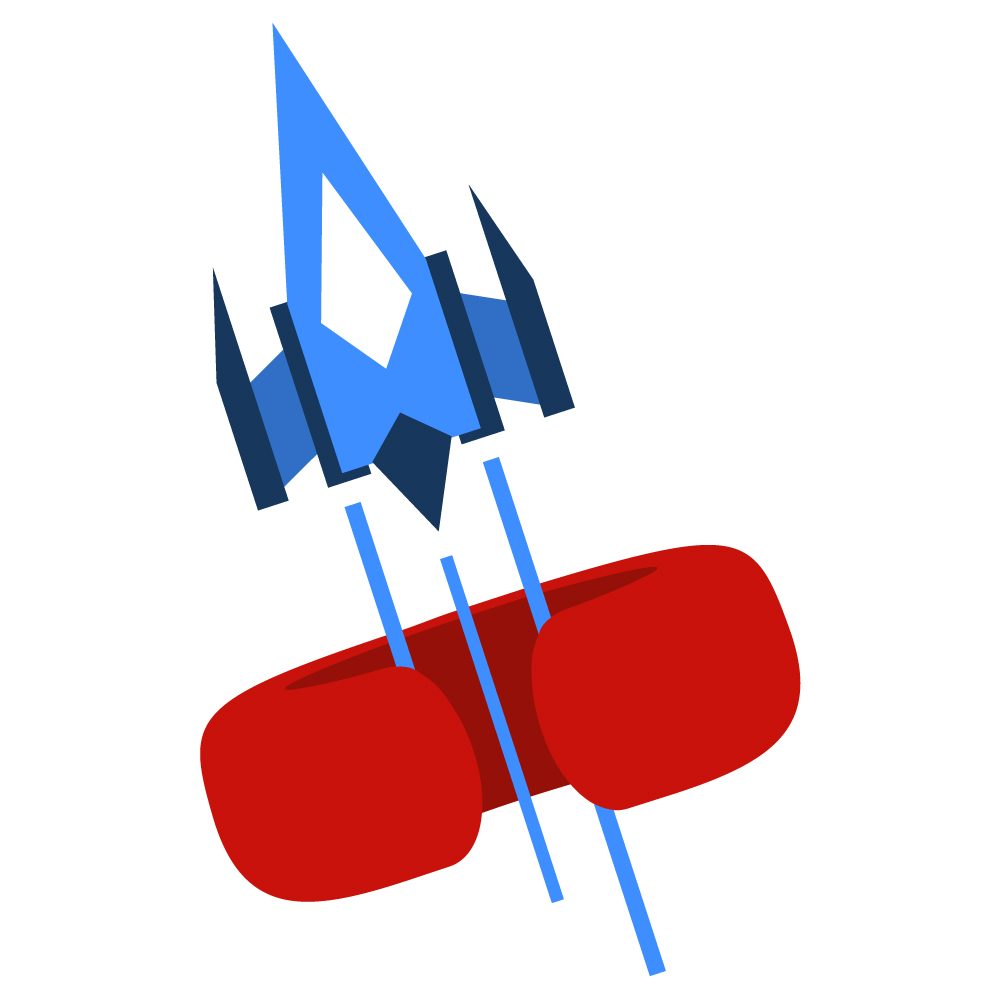
I wanted to create a logo that I would enjoy and that incorporates a lot of what not only I perceive myself as, but how I want to present myself as well. The arcade-like spaceship is the main draw that ties into the literal theme of the blog: video games. It also represents my huge inspiration and drives in the sci-fi genre. The oddly shaped “C” ring that it flies through stands for my first initial, while appearing in an abstract 3D shape that represents my career in 3D modelling and game design. The vibrant contrast of crimson and cerulean shades on the flat straightforward shapes represent my creative affinity for loudness and energy.
Design Process
I had a particularly rough time with this assignment, as I put a lot of pressure on myself to find what represented “me” in a simplistic logo form. With nearly 10 pages of sketches in my sketch book, I ended up on this design with the aid of some feedback from friends and family, as well as some research on Dribbble. Using this online resource helped greatly with seeing logos with fantastic use of color and shape balance to help give me a better informed decision on how to go about my own logo. Through iterative design as well as taking elements from different logo sketches I made, I was able to conclude to this one above.
Technical Detail
I started off with the hardest object to make in Illustrator, which was the “C” ring. I make a general shape that I wanted to be extruded by using the 3D effect tool. From here, I chose the correct angle of the torus that I wanted and then used a series of ovals to trace over the 3D shape. Through a mixture of combing and removing pieces of the ovals with the pathfinder tool, I was able to end up with the desired shape. There was much trial and error to get this to work how I wanted, but persistence paid off.
The spaceship was a little more straight forward, using rectangles while editing anchor points to create each of the shapes layered on one another. I also used the shape builder tool on the trails so that only parts of the trails would overlap certain sections of the ring. I had some difficulty trying to separate these pieces other ways using the pathfinding tools, as it would often destroy the ring.
Sources and Materials
All images used were created from scratch.

 Gaming with Cody Tucker